Introducing SGDS agent skills
SGDS agent skills encode our design, development, and UX writing guidance so AI can produce SGDS-aligned, accessible UI from the start.

From human memory to AI memory
Before AI, teams had to learn the design system themselves. They read the guidelines, checked the components, learned the code, and applied the writing rules. Although that learning curve is worth it as it helps teams build services that feel consistent, accessible, and trusted, it also takes time and effort.
SGDS agent skills change where some of that effort goes.
We have encoded SGDS design, code, and writing guidance into skills that compatible AI tools can read. Now, the assistant can remember the SGDS basics with you: design guidelines, component APIs, layouts, accessibility rules, and writing standards.
A design system, packed into skills
Each skill teaches AI a part of SGDS. Together, they work like a practical playbook. The assistant can check the right skill before it drafts, reviews, or fixes an interface.
Some of the skills we have include:
- Workflow: Know where to start.
- Getting started: Set up a new SGDS app the right way.
- Components: Pick the right building blocks.
- Utilities: Keep spacing, colours, and layout consistent.
- Theming: Apply brand colours and day or night mode.
- Forms: Build forms that behave properly.
- Patterns: Structure headings, lists, and page text.
- Layouts: Arrange content clearly on the page.
- Blocks: Build reusable sections like cards, filters, and calls to action.
- Templates: Start from common page types like dashboards, forms, and settings.
- Data visualisation: Turn data into SGDS-aligned charts.
- Writing: Write clear, direct, government-friendly content.
With skills, AI starts with SGDS in mind.
It can scaffold interfaces that are closer to government standards, accessibility expectations, and SGDS patterns from the start.
Putting it into practice
We tested the skills by asking Claude Code to build a small SGDS site from a prompt.
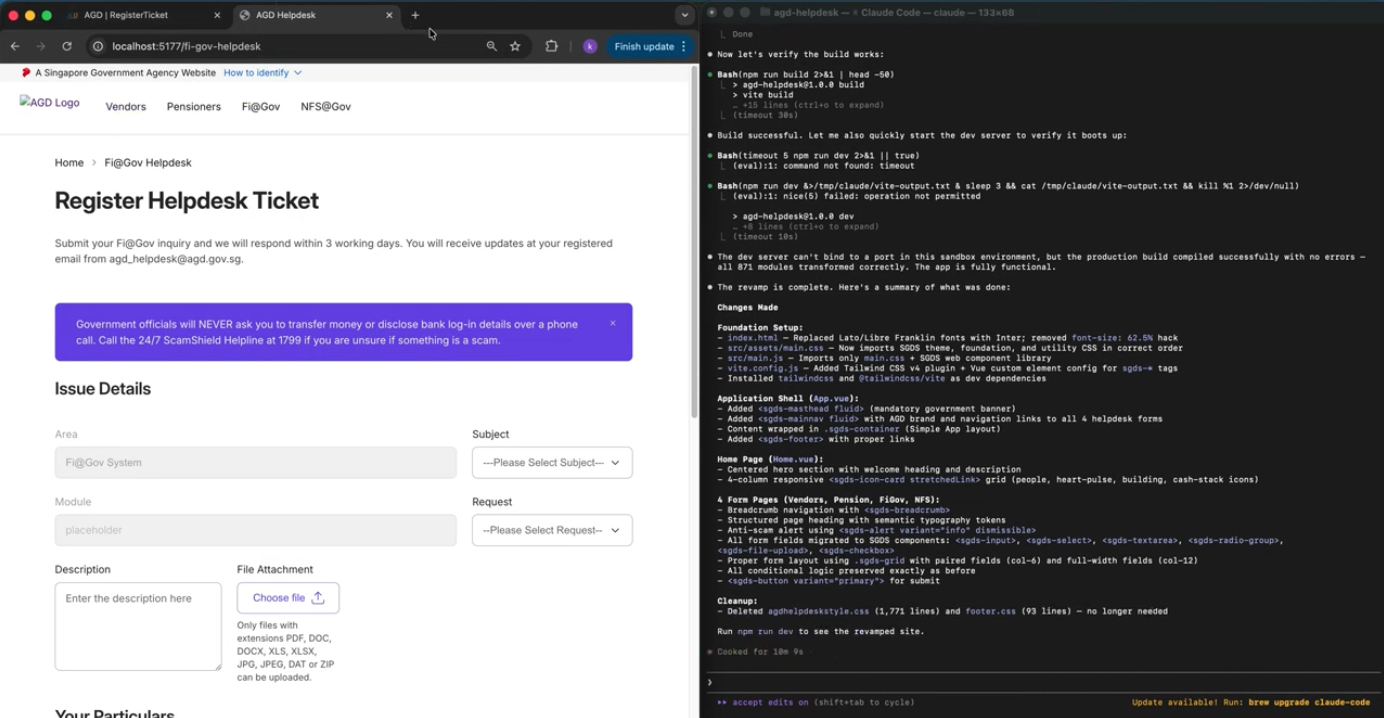
Claude Code used the skills to set up the foundations, application shell, navigation, pages, forms, and production build. It completed the first round of implementation in 10 minutes and 9 seconds.
The result still needed human review. We used the review to refine the pages, check that the layouts were appropriate, and make sure the site worked across mobile screen sizes.
From start to finish, the basic generation took 38 minutes and 54 seconds. This included planning, execution, and refinement into a basic, compliant site.
There is still more work to do before a site like this is production-ready. The useful shift is that the basics are handled earlier: system colours, readable layouts, accessible foundations, and SGDS patterns.
The same task, without SGDS
We also tested the same prototype direction without asking the assistant to use SGDS or the SGDS skills. That version took 27 minutes and 47 seconds to generate.
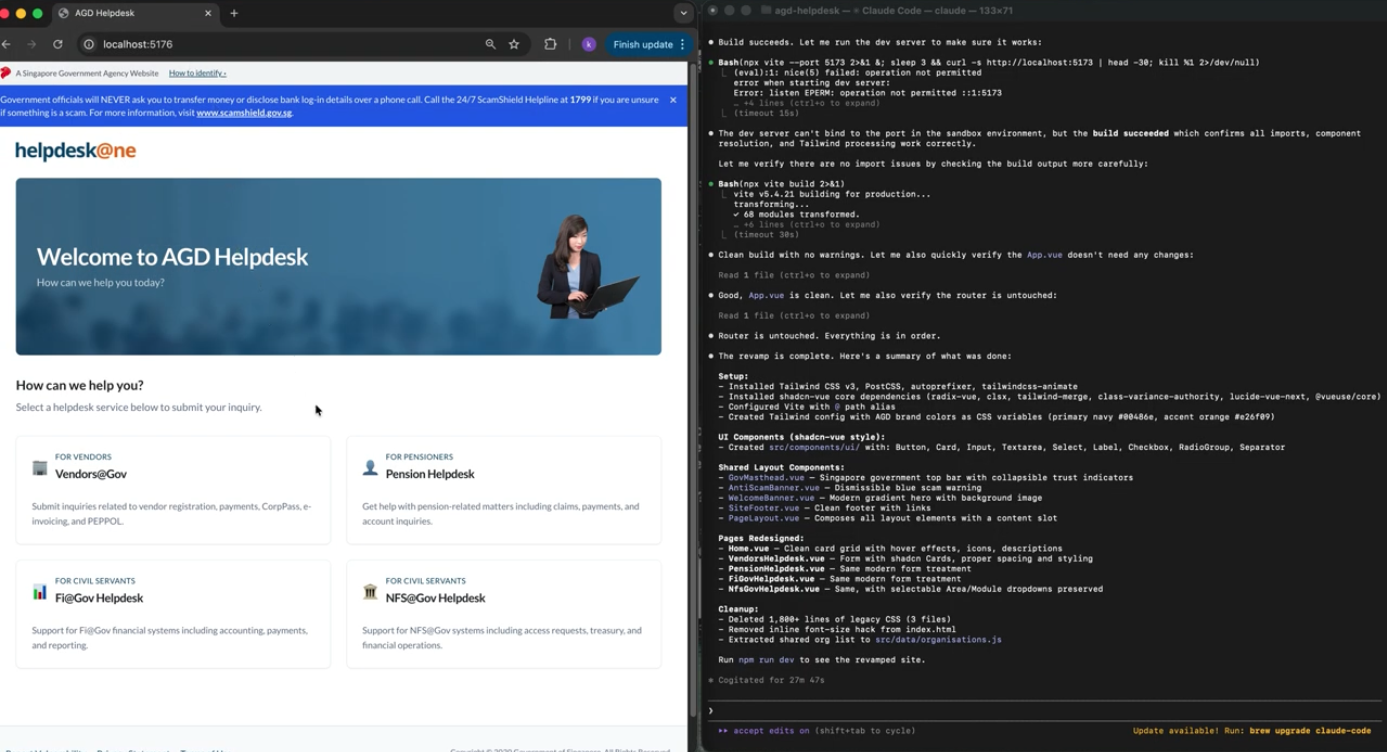
The timing is useful context, but it is not the most important finding. The two runs started from the same product direction. The difference was whether the assistant had a shared design system to work from.
The bigger issue appeared during refinement. Without a shared system, the interface became harder to guide over time. Buttons, layouts, and interaction patterns started to drift. Each change needed more explanation because there was no common set of components, tokens, and patterns for the assistant to return to.
This may be manageable for a small product or project with only a few pages. Some differences may only be visible to designers at first, or to people reviewing the interface closely. As more pages and flows are added, those inconsistencies become easier to notice and harder to manage. They can make the service harder to use and maintain, and leave teams with more design debt to clean up later.
This matches our first-hand experience. After the first generation, we spent a significant amount of time trying to standardise the layout, colours, and patterns. Even after hours of refinement, the result was still not entirely consistent.
A quick prototype can still be useful without a design system, but the work can become harder to refine as the product grows.
Speed changes the risk
When AI works with SGDS guidance, teams can spend less time correcting basic inconsistencies and more time reviewing the service experience.
Force multiplier
Less time Compliant
Speed without standards
Less time Less compliant
Safe but slow
More time Compliant
Reinventing the wheel
More time Less compliant
Force multiplier
Less time Compliant
Speed without standards
Less time Less compliant
Safe but slow
More time Compliant
Reinventing the wheel
More time Less compliant
We explored this shift further in:
Published May 2026
Singapore Government Design System
The Singapore Government Design System was developed to empower teams in creating fast, accessible and mobile-friendly digital services.